Available now
Shopify app by Fixpoint One
FP1 - Cart Shipping Calculator
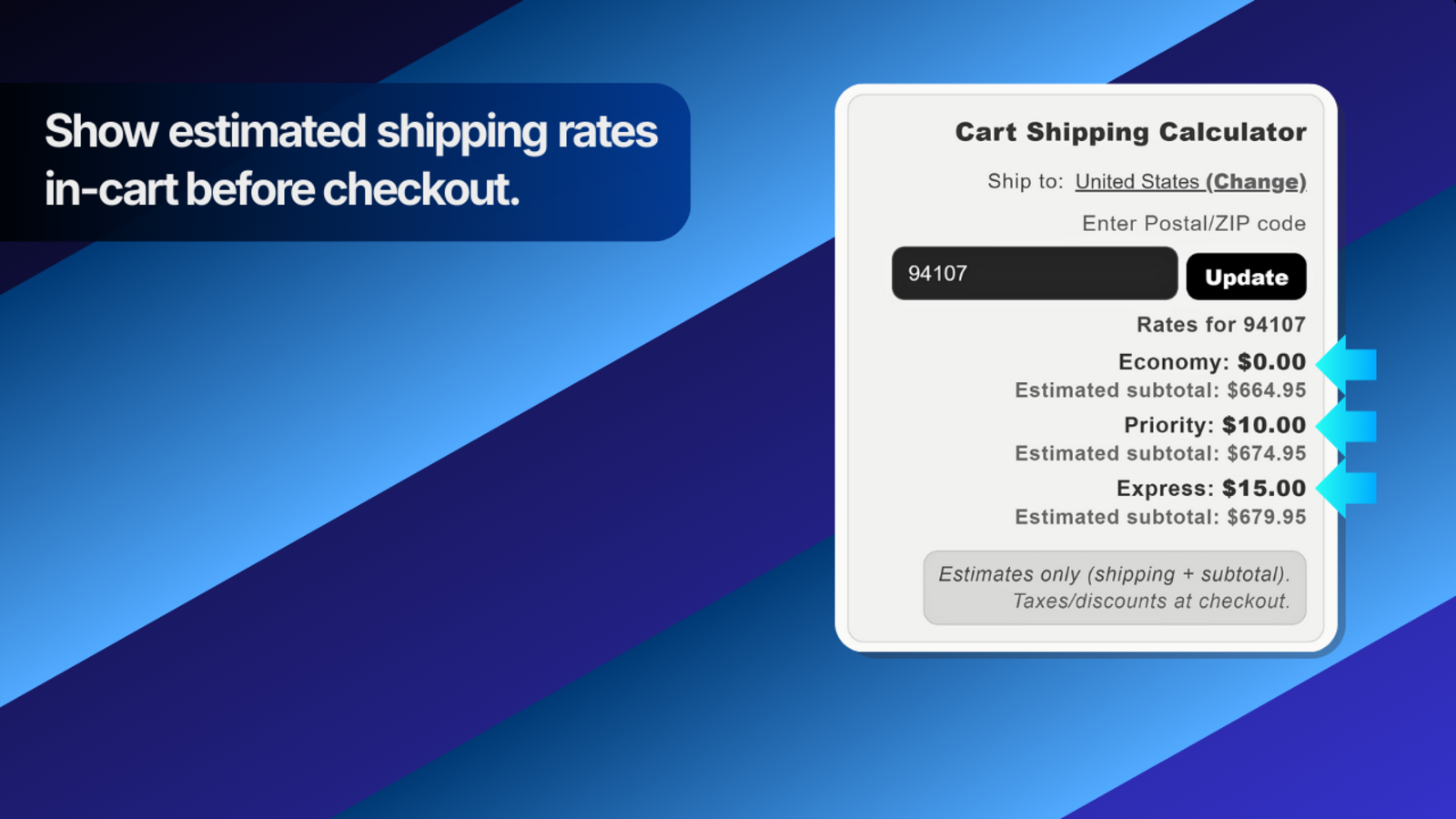
Show shoppers estimated shipping costs in the cart before checkout, using the shipping zones and rates already configured in Shopify.
Best for: Stores that want shipping estimates visible before checkout.
Not for: Buying labels, fulfilling orders, or comparing carriers.
40 shipping calculations freeno time limit • Unlimited $4.99 USD every 30 days • billing starts only if you choose Upgrade to Unlimited in the app
- Direct support
- Clear setup guide
No code editsEnable it in Shopify’s Theme Editor
Existing ratesUses Shopify shipping setup
Privacy-safeNo customer addresses stored
Fast setupEnable, test, and publish
How it works
Show shipping estimates before checkout.
The app reads your existing Shopify shipping setup; it does not create or change your rates.
What it does
- Adds a shipping-rate estimator to the cart page or cart drawer.
- Lets shoppers choose a country and province or state, then enter a postal code or ZIP code for a more accurate estimate.
- Shows the shipping rates Shopify returns for the current cart and destination.
- Only lists destinations supported by your Shopify shipping setup.
How it works
- Open FP1 - Cart Shipping Calculator in Shopify, open Settings, click Enable Cart Shipping Widget, then click Save in the Theme Editor.
- If the shortcut is unavailable, go to Online Store → Themes → Edit theme → App embeds and enable Cart Shipping Widget manually.
- The widget uses your existing shipping zones and rates - there is no second rate setup to maintain.
- Optional location detection can suggest an initial destination; shoppers can always choose it manually.
- Choose a readability size that fits your cart page or drawer.
- The app does not store customer addresses.
Key benefits
- Show delivery costs earlier, before the shopper enters checkout.
- Reduce surprise shipping fees at the last step.
- Use the rates you already manage in Shopify.
- No code edits required.
Questions before installing
Frequently asked questions
How are the shipping estimates calculated?
The app asks Shopify for rates based on the current cart and the destination entered by the shopper. It does not create, replace, or change your shipping rates.
Do I need code or theme edits?
No. Open FP1 - Cart Shipping Calculator in Shopify, open Settings, click Enable Cart Shipping Widget, then click Save in the Theme Editor. If that shortcut is unavailable, go to Online Store → Themes → Edit theme → App embeds and enable Cart Shipping Widget manually. No theme-code edits are required.
Which countries and postal codes can shoppers use?
The widget shows destinations supported by your Shopify shipping setup. It asks for a province or state when Shopify needs one, and supports international destinations that your store already serves.
Does it store customer addresses or add heavy storefront code?
The app does not store customer addresses. The widget is designed to load only when a cart exists and to keep its storefront code lightweight.
How does billing work?
The first 40 successful shipping calculations are included free and do not expire. No billing approval is required for Free. Choose Upgrade to Unlimited in the app for $4.99 USD every 30 days when you want unlimited calculations. Paid calculations do not use your remaining Free allowance. If you later choose Cancel Unlimited, future billing stops. Unlimited remains active until the end of your current paid billing period, then your plan returns to Free with the allowance you had left. There is no partial refund for unused time in the current paid period.
40 calculations free
Show real shipping estimates before paying.
The first 40 successful calculations are included free with no time limit and no billing approval. Unlimited is $4.99 USD every 30 days when you need it.